Free delivery on orders over £50 · Usually dispatched within 1–2 business days
30-day returns · 2-year warranty
Professional-Grade 4K Over a Single Cable
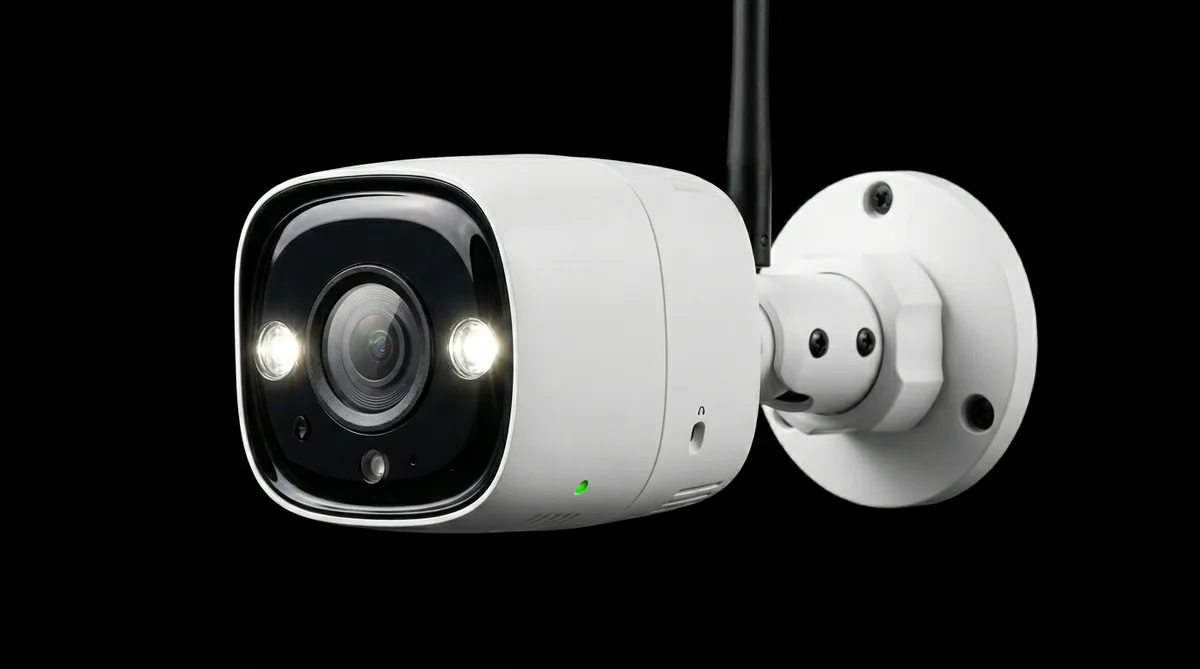
The Reolink RLC-810A delivers true 4K 8-megapixel resolution over a single Ethernet cable that also carries the power supply via Power over Ethernet (PoE) — eliminating the need for a separate power outlet at the camera location. This makes it the preferred choice for permanent, professional-quality installations where reliability and image detail are paramount.
Smart AI detection accurately identifies people and vehicles, filtering out motion from pets, wind-blown foliage and passing wildlife to reduce unnecessary alerts. The integrated colour night vision activates the built-in spotlight to produce vivid colour footage in complete darkness — far superior to traditional infrared for identifying key details like clothing colours or vehicle markings.
Rated IP66 for weatherproofing, the camera is designed to operate continuously year-round in outdoor conditions. It connects directly to a Reolink NVR (sold separately) for an all-in-one security system, or pairs with the Reolink app for standalone use and remote monitoring.
Resolution
4K / 8MP (3840×2160)
Lens
2.8mm (FOV ~100°)
Night Vision
Colour spotlight + IR up to 30m
Connectivity
Wired PoE (IEEE 802.3af)
Weatherproofing
IP66
Smart Detection
Person, vehicle
Two-Way Audio
Yes (built-in mic & speaker)
Local Storage
microSD up to 256GB
NVR Compatible
Yes — Reolink NVR
App
Reolink (iOS & Android)
Power
PoE (12W)
Cable
Cat5 or better ethernet
Colour
White
Dimensions
~180 × 68 × 68mm
Installation Guide
PoE cameras require routing an Ethernet cable from the camera to a PoE switch or NVR. This is best performed during a build or renovation, though surface-run conduit is also a common approach.
Plan your cable route from the camera position to the PoE switch or NVR location.
Run Cat5e or Cat6 Ethernet cable through the chosen route, using conduit for exposed runs.
Mount the camera bracket and fix securely to the wall with the supplied hardware.
Connect the Ethernet cable to the camera's RJ45 port — this carries both data and power.
Connect the other end to a PoE switch (802.3af) or compatible Reolink NVR.
Configure via the Reolink app or directly through the NVR's interface.
Professional Installation: For a fully concealed installation or if you are not comfortable working with cables, we recommend using a qualified CCTV installer. Ask your installer to confirm compatibility with Reolink PoE equipment before booking.